Table of Contents >> Show >> Hide
- Table of Contents
- Where Apple Is Right Now
- A Smarter, More Helpful Apple Intelligence
- Siri That Finally Feels “Modern”
- Liquid Glass, But With Better Readability
- iPadOS That Leans Into “Real Computer” Energy
- macOS: Productivity, Continuity, and Gaming That Doesn’t Require Prayer
- Developer Tools That Save Hours (and Sanity)
- visionOS: More Spatial, Less “Early Days”
- watchOS and Health Features That Feel Personal (Without Being Creepy)
- Privacy, Security, and Trust: The Quiet Features We Still Want
- Final Wishlist: The “Polish Year” Promise
- Experiences: The WWDC Season Ritual (Extra )
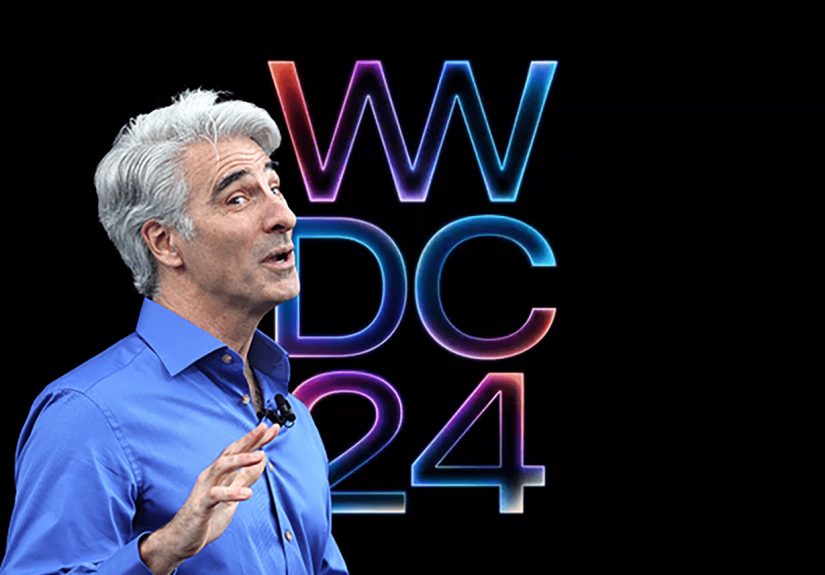
WWDC is Apple’s annual “software season premiere,” where the company shows developers (and the rest of us who pretend we’re developers
because we once changed an iPhone wallpaper) what’s coming next across iPhone, iPad, Mac, Apple Watch, Apple TV, and Vision Pro.
It’s part keynote, part roadmap, part group therapy for anyone who has ever yelled, “Why can’t my iPad do that?!”
Last year’s WWDC set a big tone: Apple pushed deeper into AI with Apple Intelligence and kept leaning into privacy-first choices.
More recently, Apple introduced a sweeping new visual directionLiquid Glassand aligned its platforms around a unified design and naming approach.
So what’s the next move at WWDC this year?
Below is our realistic-but-optimistic wishlist: the kinds of improvements that would make everyday devices feel smarter, smoother,
and (importantly) less likely to make us whisper “please don’t crash” before a presentation.
Where Apple Is Right Now
Apple has spent the last couple of WWDC cycles doing three big things at once:
expanding AI features across devices, refreshing the look and feel of its platforms, and giving developers more tools to build “native” experiences
that run fast and keep user data protected.
WWDC is also where Apple sets expectations. Sometimes that’s “here’s what ships this fall,” and sometimes it’s “we’re building this carefully,
it needs more time.” Both can be true. But when Apple says “more time,” what people really hear is, “Okay, but can it arrive before my next phone upgrade?”
With that backdrop, here’s what we’d love to see Apple prioritize this year: practical intelligence, smoother workflows, less friction,
and more features that feel like Apple solved a real problemrather than just winning a slide deck.
A Smarter, More Helpful Apple Intelligence
Apple Intelligence has the right philosophy: useful help, on-device where possible, privacy-focused by design.
Now we want the next stepconsistency, transparency, and broader everyday usefulness.
1) Better “everyday wins,” not just flashy demos
The best AI features are the ones you forget are AI. They just save you time:
cleaning up messy notes, finding the one photo you need, summarizing long threads correctly,
and making your device feel like it’s actually paying attention (in the helpful way, not the horror-movie way).
This year, we’d love Apple to focus on fewer features that work flawlessly across the core apps people use daily:
Messages, Mail, Calendar, Notes, Photos, Safari, and Files. If Apple nails reliability here, it wins.
2) Smarter automation that normal humans can use
Automation is where Apple can quietly dominate. If Apple Intelligence can power better “do the thing for me” workflowsespecially through Shortcuts
that could be a massive quality-of-life upgrade. The dream:
tell your device what you want in plain English, and it builds a safe, explainable shortcut you can tweak.
Even better: give Shortcuts a “preview mode” that explains what will happen before it happens,
with permission prompts that don’t feel like a pop-up ambush.
3) Clearer controls for AI features (and fewer surprises)
If AI is touching your contentsummaries, rewrites, smart replies, photo organizationusers should be able to:
(a) see when it’s happening, (b) review what changed, and (c) turn it off in specific places.
Granular settings build trust. Trust builds adoption. Adoption builds the “wow” feeling Apple wants.
Siri That Finally Feels “Modern”
Siri is Apple’s most familiar interface for “intelligence,” which is both an advantage and a problem:
it’s the feature everyone tries firstand the one people judge hardest.
If Apple wants Apple Intelligence to feel real, Siri needs a noticeable upgrade in three areas: capability, context, and conversation.
1) Real conversational follow-ups
We want Siri to handle follow-up questions naturally without making you repeat yourself.
Example: “Text Mom I’m running late.” Followed by: “Actually make it 15 minutes.” Followed by:
“And ask if she wants anything from the store.” Siri should keep the thread.
2) App actions that work across the ecosystem
The “magic” Siri moments are when it can do something meaningful in an appquickly and reliably.
This year, we’d love to see Apple expand the set of supported actions (with strong permissions),
especially across Apple’s own apps and popular third-party apps.
Think: “Find the document I edited yesterday and share it to the group chat,” or
“Add the event my friend texted me to my calendar and set travel time.”
If Siri can do those without confusion, that’s a bigger win than a hundred new emoji.
3) A “Siri status page” for what it can and can’t do
This sounds small, but it matters: give users a simple, readable way to understand Siri’s capabilities.
Not a marketing pagean honest feature list with examples and limitations.
Nothing kills confidence like trying the same command three different ways and getting three different shrugs.
Liquid Glass, But With Better Readability
Liquid Glass is bold. It’s also one of those designs that can look stunning in a keynote and get “interesting”
when your screen brightness is low and you’re trying to read a notification while walking.
We’d love WWDC this year to show how Apple is refining the design for clarity, speed, and accessibility.
1) More control over transparency and contrast
Let users decide how “glassy” they want things. Accessibility settings already exist, but we’d love
Apple to make readability controls more obvious and more effective.
A design can be expressive and still be easy to scan at a glance.
2) UI that prioritizes content over decoration
The best Apple UI eras have a shared theme: they get out of the way.
We want Liquid Glass to keep the delight, but reduce visual noise in places where people do focused work:
Mail, Safari, Files, Notes, and any app with long lists or dense text.
3) Faster performance on older-but-supported devices
If the design is more GPU-heavy, Apple should show what it’s doing to keep animations smooth
and battery usage reasonable. A gorgeous UI that makes your phone feel sluggish is like a sports car with a flat tire:
impressive, but not the vibe you want on the highway.
iPadOS That Leans Into “Real Computer” Energy
iPad users have one main request, repeated annually in the sacred tradition of WWDC wishlists:
“Let the iPad be the iPad… but also a Mac… but also not a Mac… but also yes, a Mac.”
Translation: we want iPadOS to be more powerful without losing what makes the iPad greatdirect manipulation,
simplicity when you want it, and speed when you need it.
1) Multitasking that’s easier, not just “more”
iPad multitasking has improved, but it can still feel like a puzzle where the prize is… another window.
This year, we’d love to see a more intuitive windowing experience:
clearer window management, better snapping, and an easy way to jump between “workspaces.”
2) Better external display behavior
When you connect an iPad to a monitor, it should feel like a pro setupstable, predictable, and flexible.
We’d love:
improved scaling, easier app placement, stronger keyboard shortcuts, and a “presentation mode”
that stops your notifications from popping up like uninvited party guests.
3) Pro workflows in Files
If iPad is going to be a creator device, Files has to behave like a grown-up file manager:
better sorting, richer metadata, reliable network drives, improved zip handling, and smoother drag-and-drop.
Also: let us choose default apps for more file types without jumping through hoops.
4) Background tasks that don’t quit when you blink
The iPad should handle long exports, uploads, and batch tasks more confidentlyespecially on high-end hardware.
Give power users clearer task progress, better reliability, and more control over what can run in the background.
macOS: Productivity, Continuity, and Gaming That Doesn’t Require Prayer
macOS is already strong, but WWDC is where Apple can make the Mac feel even more connected to everything else.
We’d love Apple to keep pushing Continuity in ways that reduce friction and save time.
1) Continuity that feels invisible
Apple’s ecosystem is at its best when your devices behave like one team instead of five coworkers in different group chats.
This year, we’d love tighter handoffs: moving calls, files, clipboard content, and app sessions between devices
without extra prompts or repeated logins.
2) A “serious” push for Mac gaming
Apple has been investing in gaming compatibility and dev tooling. We’d love WWDC to go further:
improve game porting tools, make Metal workflows friendlier, and show more developer success stories.
Not just “look, a game runs,” but “look, a game runs well, ships on time, and has robust support.”
3) Better power-user ergonomics
Small macOS improvements can have huge impact:
window management that’s faster, Spotlight that’s smarter, system settings that are easier to search,
and automation that’s more dependable.
We’d love Apple to polish the “daily driver” experience for people who live on their Mac for work or school.
Developer Tools That Save Hours (and Sanity)
WWDC is ultimately for developers. And developers want two things:
(1) better APIs, and (2) fewer reasons to stare at a spinning beach ball at 2 a.m.
1) Xcode that’s faster, smarter, and kinder
Apple has been adding AI-assisted coding tools and improving Xcode, and we’d love to see that continue
with a focus on reliability. The wishlist:
faster indexing, fewer random build failures, clearer error messages, and smarter suggestions that understand project context.
Even better: debugging help that can explain a crash in plain English,
suggest likely causes, and point to the exact commit that introduced a regression.
Not magicjust practical assistance that respects developer time.
2) Swift improvements that make concurrency easier to trust
Swift has been evolving quickly, especially around safety and concurrency.
This year, we’d love to see migration and tooling get even smoother:
better warnings, better fix-its, and more educational guidance built into Xcode so teams can adopt safer patterns without fear.
3) Foundation model access that’s genuinely useful
If Apple keeps expanding developer access to on-device models, we want excellent documentation, real samples,
clear privacy guardrails, and predictable performance. Developers need to know:
what the model can do well, what it can’t, and how to design features that fail gracefully.
4) Testing, performance, and release workflows
The best developer announcements are not glamorous. They’re the ones that cut release pain:
better automated testing, stronger profiling tools, improved crash reporting pipelines,
and clearer App Store review feedback for edge cases.
visionOS: More Spatial, Less “Early Days”
Vision Pro and visionOS are still young compared to iPhone and Mac.
That’s excitingand it also means WWDC is the perfect time for Apple to show what’s next for spatial computing.
1) More “everyday” apps in spatial form
We’d love to see more first-party apps redesigned to make sense in spatial contexts:
better window management, more immersive productivity tools, and stronger multi-app workflows that don’t feel experimental.
2) Better avatars and presence for communication
Apple has been improving Personas, and we’d love to see continued refinementsmore natural expressions,
better eye contact, and clearer audio/visual presence for calls.
If spatial computing is going to be social, it needs to feel comfortablenot uncanny.
3) Developer APIs that unlock “spatial-native” experiences
The big leap won’t come from porting iPad apps into floating rectangles (though that helps).
It’ll come from apps designed around space: education, design, simulation, collaboration.
We want Apple to keep investing in APIs that make these experiences easier to build and easier to run well.
watchOS and Health Features That Feel Personal (Without Being Creepy)
Apple Watch thrives on small, consistent improvements: better coaching, smarter notifications, more meaningful insights.
We’d love to see Apple keep focusing on “helpful nudges” that users can control.
1) Coaching that adapts to routines
Fitness features are strongest when they respect real life:
sleep, school, work, travel, and the fact that sometimes your “workout plan” is carrying groceries.
We’d love to see coaching features that adapt to user patterns without being bossy or overly intense.
2) Smarter notifications, fewer interruptions
If the watch is going to be a personal assistant, it has to be selective.
We’d love Apple to improve notification intelligence so the watch surfaces what matters,
stays quiet when it should, and makes it easy to customize behavior by time and context.
Privacy, Security, and Trust: The Quiet Features We Still Want
Apple’s privacy stance is one of its biggest differentiatorsand it’s also a reason people expect more from its AI.
We’d love WWDC to include clearer explanations of how privacy protections work in practice, without making users read a 40-page PDF.
1) More transparent permission design
When an AI feature needs access to photos, messages, or calendar events, users should get simple, plain-language prompts:
what’s being accessed, why, and what’s stored (or not stored). Trust is built by clarity.
2) Better account recovery and anti-scam protections
As devices become more powerful (and more valuable), the risks go up too.
We’d love Apple to keep expanding tools that help users avoid scams, protect accounts,
and recover access safelyespecially for families and less technical users.
Final Wishlist: The “Polish Year” Promise
If WWDC this year delivers one big theme, we hope it’s this:
make the platforms feel calmer, faster, and more dependablewhile still pushing meaningful innovation.
Give us fewer features that are “cool in a demo,” and more features that save time every day.
Give us design that looks great and reads great.
Give developers tools that reduce friction, not increase it.
And if Apple is going to keep building the future of personal intelligence, the best way to prove it is simple:
ship improvements that people can feel within 24 hours of installing the update.
Experiences: The WWDC Season Ritual (Extra )
WWDC isn’t just a keynoteit’s a whole season. For a lot of people, “WWDC week” becomes a familiar ritual:
you watch the keynote (live if you can, replay if you can’t), you scroll through recaps, you hear someone say
“this changes everything,” and then you quietly open your Notes app to write, “Okay but will my battery survive this?”
If you’ve ever tried a developer beta (or even a public beta), you know the emotional arc is always the same:
excitement, curiosity, overconfidence, and then the first minor bug that makes you question your life choices.
It’s not that betas are badbetas are honest. They remind you that software is a living thing:
it grows, it breaks, it heals, and sometimes it refuses to connect to Wi-Fi five minutes before you need to leave the house.
The best WWDC experiences usually come from the small features you didn’t expect to love.
Maybe it’s a tiny quality-of-life improvementlike a smarter way to manage notifications, a better search feature,
or a new setting that finally makes your device feel like it understands your routine.
Those are the upgrades that don’t get a standing ovation in the keynote, but they earn real gratitude the next day
when your phone helps you find a file faster or your Mac stops making you play “Where did that window go?”
There’s also a “conversation” part of WWDC that’s easy to overlook. Developers watch the sessions and immediately start thinking:
“How can I use this?” Students wonder what it would be like to build something that ships to millions of people.
And everyday users do their own kind of development: they imagine what their device could do if it had just a little more help.
WWDC becomes the moment when everyonecoders, creators, and curious non-codersgets permission to be optimistic about technology again.
Even if you never install a beta, WWDC can still change how you use your devices. A new design can refresh the feeling of your phone.
A smarter assistant can make you try voice commands again. An improved iPad workflow can convince you to attempt a “laptop-free” day.
In the best years, Apple’s announcements don’t just add featuresthey change habits.
That’s why this wishlist matters. It’s not about asking Apple for science fiction. It’s about asking for the kind of progress
that shows up in real life: less friction, more clarity, better tools, and a sense that your devices are working with you,
not waiting for you to learn their secret handshake.
So as WWDC approaches, we’ll do what everyone does: make our list, place our bets, and hope that at least one of our “please, Apple”
requests turns into an actual featurepreferably one that doesn’t require a 12-step Settings safari to find.