Table of Contents >> Show >> Hide
- What Facebook Is (and Why People Still Use It)
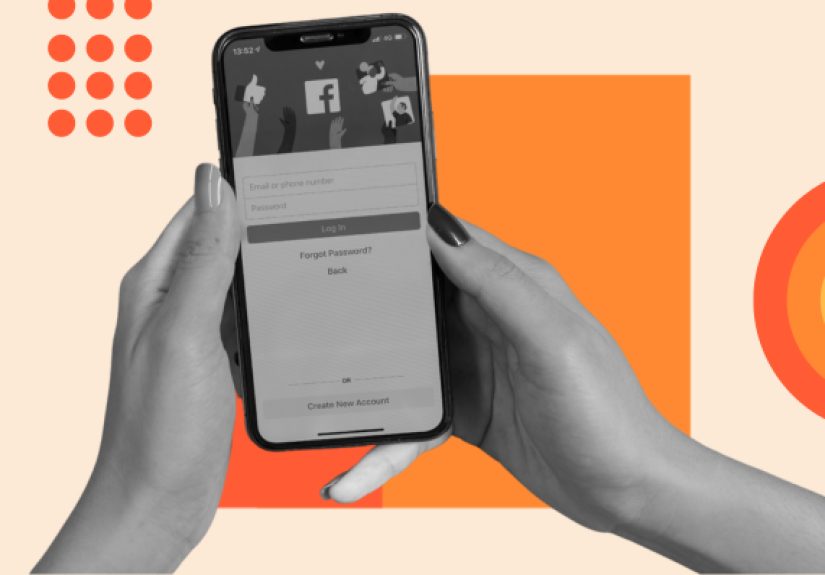
- Step 1: Create Your Account the Right Way
- Step 2: Set Up Your Profile (Without Oversharing)
- Step 3: Understand the Home Screen and Feed
- Step 4: Find Friends (and Avoid “Random Gary”)
- Step 5: Make Your First Post (With a Specific Example)
- Step 6: Groups and Pages (Where Facebook Gets Useful)
- Step 7: Messenger Basics (Without Letting Strangers Wreck Your Day)
- Step 8: Notifications (Make Them Work for You)
- Step 9: Privacy Settings You Should Change on Day One
- Step 10: Security Essentials (Because Scammers Love Beginners)
- Step 11: Marketplace and Local Deals (Use Smart Safety Habits)
- Troubleshooting: Fix the Most Common Beginner Problems
- Quick “Do This, Not That” Facebook Etiquette
- Conclusion: Facebook Is Easier When You Use It on Purpose
- Real-World Beginner Experiences (500+ Words): What New Users Commonly Run Into
Facebook can feel like walking into a giant party where you don’t know anyone, the music is a little loud,
and somehow your aunt is already there. The good news: you don’t need to “get” everything on day one.
If you can read posts, tap a button, and resist clicking “You won a free iPhone!!!,” you’re already ahead.
This beginner-friendly guide walks you through the essentialssetting up your account, finding friends,
posting confidently, joining groups, messaging, and (most importantly) staying private and secure.
You’ll also get practical examples, plus a real-world “what newbies usually do” section at the end.
What Facebook Is (and Why People Still Use It)
At its core, Facebook is a social network where you can connect with friends and family, share updates,
join communities (Groups), follow public figures and brands (Pages), message people (Messenger),
and discover content in your Feed (often called the News Feed).
The main reason many people keep Facebook around is relationships: it’s a convenient hub for family updates,
neighborhood happenings, group chats, and communities built around hobbies, parenting, sports, local deals,
and “who has a ladder I can borrow?”
Step 1: Create Your Account the Right Way
Sign up (and avoid the “future headache” choices)
- Use your real name (or a recognizable version). Friends can’t add “CoolDude1997” if they don’t know it’s you.
- Add a phone number or email you actually use. This matters when you forget your password.
- Create a strong password: long, unique, and not “Password123” (yes, Facebook has seen that one).
- Set your birthday carefully. It affects age-based features and helps account recovery.
Choose how you’ll use Facebook
You can use Facebook on:
the mobile app (most common),
a mobile browser,
or desktop.
The buttons may move around, but the core features are the same.
Step 2: Set Up Your Profile (Without Oversharing)
Your profile is your “who are you?” page. People use it to confirm you’re a real person before accepting a friend request.
A few thoughtful details go a long way.
The must-do profile basics
- Profile photo: A clear face shot works best (pets are adorable, but confusing).
- Cover photo: Optionaluse a landscape photo, hobby image, or something neutral.
- Bio/Intro: Keep it simple. Example: “Coffee fan. Dog person. Learning to garden.”
- Work/School/Home: Add only what you’re comfortable sharing. You can limit visibility later.
Pro tip: Your profile isn’t a résumé
You don’t need your full home address, phone number, or “I will be on vacation from March 2–9 and my house will be empty.”
(Yes, people really post that. No, it’s not ideal.)
Step 3: Understand the Home Screen and Feed
When you open Facebook, you’ll typically land on Home, where you scroll through your Feed.
This is a mix of posts from friends, Groups, Pages you follow, and recommendations.
The basic actions: Like, Comment, Share, Save
- Like/React: Tap the thumbs-up (or hold it to choose reactions like Love, Haha, Wow).
- Comment: Reply under a post. Keep it kind; sarcasm doesn’t travel well online.
- Share: Repost to your profile, your story, a Group, or send it in Messenger.
- Save: Bookmark posts you want to come back to (recipes, travel tips, event details).
Control what you see (so your Feed doesn’t become chaos)
If your Feed starts showing too much of one thing, you can:
unfollow a person (stay friends, but stop seeing posts),
snooze them for a short break,
or see less of certain content types.
Think of it as curating your digital living room.
Step 4: Find Friends (and Avoid “Random Gary”)
How to add real friends
- Use the Search bar for a name, then check mutual friends and profile details.
- Look for recognizable photos and shared connections.
- When in doubt, message first: “Heyare you the same Jessica from Lincoln High?”
Friend request etiquette (yes, it exists)
If you don’t know someone, don’t add them just because they have a friendly face and a motivational quote.
Scammers love motivational quotes. They also love “kindly.”
Step 5: Make Your First Post (With a Specific Example)
Posting is simple: you write something, optionally add a photo/video, and choose who can see it.
The part beginners miss is the audience selector.
Example: Share a family update with friends only
- Tap What’s on your mind?
- Write: “Finally tried homemade pizzaturns out the smoke alarm is also a food critic.”
- Add a photo.
- Tap the audience option (often Public or Friends).
- Select Friends (or Only me if you’re testing).
- Hit Post.
Posting options you’ll see a lot
- Photo/Video: Upload from your phone.
- Tag people: Great for group photos; ask first if it’s personal.
- Feeling/Activity: Optional. You do not need to announce you’re “feeling caffeinated.”
- Check-in/location: Use carefully. Posting your location in real time isn’t always wise.
Step 6: Groups and Pages (Where Facebook Gets Useful)
Groups: Communities you can actually talk in
Groups are Facebook’s “neighborhood bulletin board meets hobby club.” You can join Groups for local events,
parenting tips, buy/sell exchanges, gaming, cooking, travel, and support communities.
- Public Group: Anyone can see posts and members.
- Private Group: You may need approval; posts are limited to members.
Before posting in a Group, read the rules. Some Groups are strict (for good reasons), and your post may be declined if it doesn’t follow guidelines.
Pages: Follow businesses, creators, and organizations
Pages are for public figures, companies, nonprofits, and media outlets. You can Follow a Page to see updates without becoming “friends.”
If you’re using Facebook for news or community alerts, Pages can be helpfuljust remember to verify sources and avoid sensational clickbait.
Step 7: Messenger Basics (Without Letting Strangers Wreck Your Day)
Messenger is Facebook’s direct messaging system. You can text, send photos, create group chats, and make voice/video calls.
Message requests
If someone who isn’t your friend messages you, it may land in Message Requests. That’s Facebook’s way of saying,
“We’re not sure you know this person, so maybe don’t share your life story yet.”
Beginner-friendly Messenger etiquette
- Don’t click unknown links.
- If a “friend” suddenly asks for money, verify outside Facebook (call/text them).
- Use reactions and short repliesMessenger doesn’t require essays.
Step 8: Notifications (Make Them Work for You)
Notifications tell you when someone liked your post, commented, tagged you, or invited you to something.
They can be helpfulor they can become the digital equivalent of a toddler tapping your shoulder every 12 seconds.
Adjust notifications so you only get what matters:
comments from friends, event reminders, or messages. You don’t need a push alert every time someone in a Group uses the word “sale.”
Step 9: Privacy Settings You Should Change on Day One
Privacy settings are where beginners either feel empowered… or immediately consider moving to a cabin with no Wi-Fi.
The key is to focus on a few high-impact settings first.
Use Privacy Checkup (your “set it and breathe” tool)
Facebook provides a guided privacy review that helps you control who can see your posts, profile details, and more.
Start there, then fine-tune.
Master the audience selector
Every time you post, you can choose who sees it:
Public, Friends, Friends except…, Specific friends, or Only me.
Example: You want to share party photos with friends, but not coworkers you’ve added.
Set audience to Friends except… and exclude coworkers. Done.
Limit public visibility (especially if you’re new)
- Set default future posts to Friends (not Public).
- Limit who can comment on public profile content.
- Review who can find you by email/phone number.
- Consider restricting who can send friend requests.
Tagging: stop surprise content from appearing on your profile
If you don’t want every tag to instantly show up, enable tag review so you approve tagged posts before they appear on your profile.
This prevents the classic “Why am I tagged in a blurry photo from 2009?” moment.
Step 10: Security Essentials (Because Scammers Love Beginners)
New accounts and new users can be targets for scams. The best defense is a few minutes of setup.
Think of it like locking your front doorsimple habit, big payoff.
Turn on two-factor authentication (2FA)
Two-factor authentication adds a second step when logging in (like a code from an app or text message).
Even if someone guesses your password, 2FA makes it much harder for them to get in.
Spot phishing and suspicious messages
- Be cautious with urgent messages: “Your account will be deleted in 10 minutes!”
- Don’t click login links in random messages. Type the site/app yourself.
- Watch for lookalike pages and fake “support” accounts.
Common scam patterns on Facebook
- “Friend in trouble”: A hacked account asks for money or gift cards.
- Romance and investment scams: Someone builds trust, then pitches a “can’t-miss” opportunity.
- Fake shopping links: Too-good-to-be-true deals that never deliver.
When money enters the chat, slow down. Verify identity outside Facebook. And remember:
real banks don’t request payment in gift cards.
Step 11: Marketplace and Local Deals (Use Smart Safety Habits)
Facebook Marketplace can be useful for local buying and selling, but it’s also a place where common-sense safety rules matter.
- Meet in a public place (many police stations offer “safe exchange zones”).
- Bring a friend if possible.
- Avoid unusual payment requests.
- Inspect items before paying.
If your goal is decluttering rather than profit, local “Buy Nothing” style Groups can be a faster, friendlier option.
Troubleshooting: Fix the Most Common Beginner Problems
“I forgot my password.”
Use the account recovery options through Facebook login. This is why using a real email/phone matters.
“My Feed is weird.”
If your Feed suddenly looks like it was trained by a raccoon on energy drinks, it’s usually because you interacted with something (clicked, watched, commented).
Reduce similar posts by using “See less,” unfollowing, and adjusting Feed preferences.
“I posted something and regret it.”
You can delete a post, edit it, or change the audience. For the future, post with “Only me” first if you’re unsurethen switch it once you’re comfortable.
Quick “Do This, Not That” Facebook Etiquette
- Do: Ask before tagging people in personal content.
- Don’t: Share someone else’s private news without permission.
- Do: Keep disagreements respectful (or take it to private messages).
- Don’t: Assume tone translates. A “joke” can land like a brick.
- Do: Report harassment and block accounts that make you uncomfortable.
Conclusion: Facebook Is Easier When You Use It on Purpose
Facebook becomes enjoyable when you treat it like a tool, not a treadmill. Start small:
set up your profile, add a few real friends, join one helpful Group, and make one post with the right audience.
Then lock down privacy, turn on 2FA, and ignore anything that smells like a scam.
You don’t need to master every feature. You just need to use the features that match your lifefamily updates,
local community info, hobby Groups, and messagingwhile keeping your boundaries intact.
Real-World Beginner Experiences (500+ Words): What New Users Commonly Run Into
Beginners tend to have the same handful of “Facebook first-week” moments. None are tragic, most are fixable,
and a few are actually hilariousespecially in hindsight. Here are realistic scenarios that mirror what many new users experience,
along with the lessons that make Facebook feel manageable.
1) The “Oops, I Posted That Publicly” Moment
A common rookie move is posting a personal updatelike family photos, a relationship status change, or a slightly-too-honest rant about a neighbor’s leaf blower
and accidentally leaving the audience set to Public. Suddenly, people you barely know (or don’t know at all) can see it,
and you’re thinking, “Why did a stranger react with ‘Haha’ to my dentist story?”
The fix is usually quick: edit the post’s audience to Friends or delete it. The lesson is better:
get in the habit of checking the audience selector every time you post, especially when you’re new.
Some people even do a “training wheels” week where everything is posted to Only me first, just to build confidence.
2) The “Friend Request From a Suspiciously Handsome Doctor”
Beginners often accept friend requests too quickly because it feels polite. But Facebook isn’t a dinner partyit’s the internet,
and the internet sometimes shows up wearing a fake mustache. If a profile has very few photos, a strange name format,
or a feed filled with generic inspirational quotes, treat it like a stranger waving you over from an unmarked van.
The safer approach: only accept people you actually recognize or can verify through mutual friends. If someone you know in real life sends a request,
great. If “Captain Success Lifestyle” wants to connect, maybe let him achieve success somewhere else.
3) The “Groups Are Weird… But Also Amazing” Discovery
Many beginners join their first Group and get overwhelmed: too many posts, too many opinions, too many rules,
and at least one person writing in all caps. Then they find a second Groupmaybe a neighborhood Group,
a hobby community, or a local parenting groupand suddenly Facebook makes sense. Groups can be the most valuable part of the platform
because they’re focused: you’re there for one topic, not the entire internet’s mood.
The key lesson: pick a few high-quality Groups, read the rules, and lurk for a day or two before posting.
You’ll learn the vibe quicklyand avoid accidentally posting a “for sale” item in a “no sales” group (which is basically a digital crime in some communities).
4) The “Marketplace Deal That Feels Off” Moment
Beginners love the idea of Marketplace: cheap furniture, local pickup, instant decluttering. The first time someone offers to “mail a cashier’s check” or asks you to pay
through a weird method, it becomes clear that not every deal is a deal. Many users learn to trust their instincts:
if someone refuses a normal local meetup or pressures you to move fast, it’s fine to walk away.
The better habit: local meetups, normal payment, and clear communication. The best habit: never feel guilty for saying “No thanks.”
Facebook doesn’t grade you on politeness.
5) The “Why Is My Feed Full of This Now?” Surprise
A classic beginner question is: “I watched one video about air fryers… why does Facebook think I’m an air fryer?”
The Feed often reflects what you engage with. If you pause on certain posts, click certain topics, or comment on spicy debates,
you may see more of that content.
The lesson is empowering: you can shape your Feed by interacting intentionally. Like what you want more of.
Unfollow what you don’t. Use “See less.” Join Groups that match your real interests. Over time, your Feed can shift from chaotic to genuinely useful.
Bottom line: every beginner makes a few awkward clicks. That’s normal. Facebook is a learn-by-doing platform,
and once you lock in privacy, tighten security, and follow the people and communities you actually care about,
it becomes much less overwhelmingand a lot more fun.