Table of Contents >> Show >> Hide
- First, Decide Which GTA Game You Want
- Where to Download GTA for PC Legally
- How to Download GTA V on PC Step by Step
- Check the System Requirements Before Downloading
- Enhanced vs. Legacy: Which Version Should You Install?
- Common GTA Download Problems on PC
- Can You Play GTA Online After Downloading?
- Is GTA for PC Worth Downloading in 2026?
- Extra: Real-World Experiences Downloading GTA for PC
- Final Thoughts
If you have been searching for how to download GTA for PC, you have probably already noticed one tiny problem: the internet loves chaos. One page says use Steam, another says use Rockstar Games Launcher, another whispers “free download” like it is offering candy from a suspicious van. So let’s clear the smoke.
The smart way to download GTA on a PC is simple: use an official store, buy the right version for your hardware, sign in with the correct account the first time, and make sure your computer has enough storage before you click install. That is the boring answer. The useful answer is what this guide is for.
This article focuses mainly on Grand Theft Auto V for PC, because that is what most people mean when they type “download GTA for PC.” Still, we will also cover other PC GTA titles, the difference between GTAV Enhanced and GTAV Legacy, common installation mistakes, and what the real download experience is like once the hype train leaves the station and your SSD starts sweating.
First, Decide Which GTA Game You Want
Before you download anything, take ten seconds and answer one question: Which GTA are you actually trying to play? That sounds obvious, but many players say “GTA” when they specifically mean GTA V, GTA Online, GTA IV, or one of the Definitive Edition classics.
GTA V Enhanced: The Main Pick for Most PC Players
For most people, the default answer is Grand Theft Auto V Enhanced. This is the newer PC version aimed at modern hardware. It offers the current mainstream PC path for GTA V and is what most new players should choose if their system can handle it.
If you want the most current experience on PC, this is the version to target. It is the one most likely to match recent store listings, current technical support guidance, and ongoing GTA Online expectations. In plain English: if your PC is reasonably modern, this is probably your lane.
GTAV Legacy: The Backup Plan for Older PCs
Now for the plot twist. If your computer is older, GTAV Legacy may be the better fit. Legacy has lower system requirements than Enhanced, so it is the practical choice for older desktops and budget laptops that are still hanging in there like a hero in a movie trailer.
This matters because a lot of players buy first and compare specs second. That is like buying roller skates before checking whether you have feet. If your hardware struggles with modern AAA games, do not assume the newest GTA version is automatically the right one.
Other GTA Games Available on PC
If GTA V is not what you want, PC players can also find other titles such as Grand Theft Auto IV: The Complete Edition and Grand Theft Auto: The Trilogy – The Definitive Edition. Those are different downloads, different requirements, and different vibes. GTA IV is the gritty older cousin. The Trilogy is the nostalgia package with updated editions of GTA III, Vice City, and San Andreas.
So yes, “download GTA for PC” can mean several things. If you want the broadest, most current answer, start with GTA V. If you want a classic, shop with the exact title name instead of just typing “GTA” and hoping the store reads your mind.
Where to Download GTA for PC Legally
Let’s keep this clean: the best place to download GTA for PC is an official storefront. That usually means one of three sources:
1. Rockstar Games Launcher
This is the most direct route if you want to stay in Rockstar’s ecosystem. Buy through Rockstar’s official store or redeem through the Rockstar Games Launcher, then install the game there. This route is straightforward for players who do not care about collecting everything in one giant library.
The main benefit is simplicity. You are dealing directly with the publisher’s launcher and support system. The downside is that some players prefer keeping all of their PC games in Steam or Epic for convenience.
2. Steam
Steam is the comfort food of PC gaming. If you already use it for most of your games, buying GTA on Steam makes sense. But here is the important part: buying through Steam does not mean you skip Rockstar’s system entirely. The install and activation flow still ties into the Rockstar Games account and Rockstar Games Launcher.
That means you should be extra careful to sign into the correct Rockstar account the first time. A lazy click today can become a customer-support saga tomorrow.
3. Epic Games Store
Epic is another official option for downloading GTA on PC. Like Steam, it still connects to Rockstar’s launcher and account system for the actual game launch process. If you already have Epic installed, this can be an easy route.
One nice detail for current buyers is that Epic’s GTA V listing notes that the purchase includes both GTAV Enhanced and GTAV Legacy. That is helpful if you are not fully sure whether your PC is ready for Enhanced.
What About “Free GTA Downloads”?
If a random site promises a free GTA PC download outside an official promotion, treat it like a trap wearing sunglasses. Real giveaways do happen from time to time on official storefronts, but most “free GTA download” pages are simply trying to lure clicks, push shady installers, or hand you a file named something like GTAV_REAL_100_PERCENT_WORKING_FINAL_v12.zip. That file is not your friend.
Legal, safe, and sane beats “free” every time.
How to Download GTA V on PC Step by Step
Method 1: Download GTA Through Rockstar Games Launcher
- Create or sign in to your Rockstar Games account.
- Install the Rockstar Games Launcher on your Windows PC.
- Buy GTA V through Rockstar’s official store or redeem your activation code.
- Open the launcher and find the game in your library.
- Choose an install location with enough free storage.
- Start the download and let your internet do cardio.
This method is ideal if you want the most direct path and do not care whether the game lives inside Steam or Epic.
Method 2: Download GTA Through Steam
- Open Steam and sign in.
- Search for the exact GTA title you want, usually GTAV Enhanced.
- Purchase the game and add it to your library.
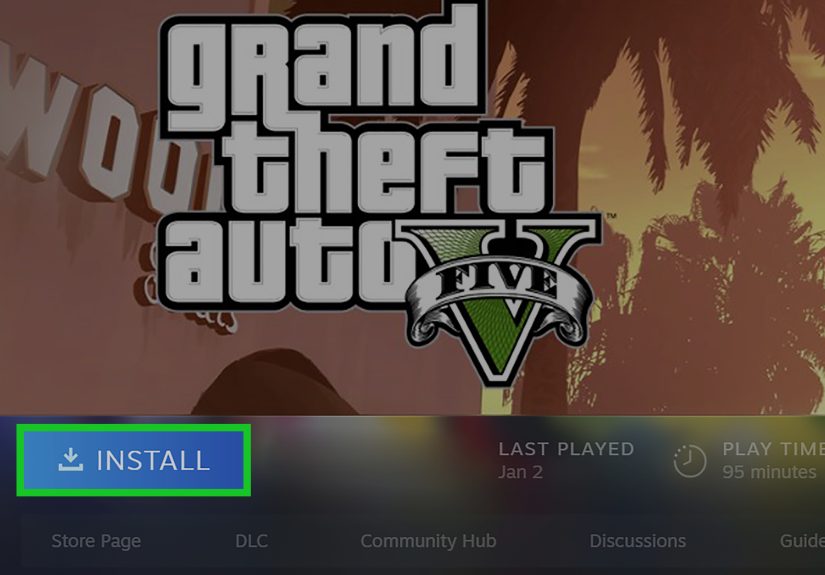
- Click Install and choose your drive.
- Launch the game when the download finishes.
- Sign in to the Rockstar Games Launcher when prompted.
Steam is easy, but remember: you are still entering Rockstar territory during setup. Steam is not replacing Rockstar’s account layer. It is more like the front door, while Rockstar still checks your ID in the hallway.
Method 3: Download GTA Through Epic Games Store
- Install the Epic Games Launcher.
- Sign in or create an Epic account.
- Find the GTA title you want and complete the purchase.
- Start the installation from your Epic library.
- Launch the game and sign in to the Rockstar Games Launcher when asked.
- Finish any account verification steps before playing.
Epic works well, especially for players who already use it. Just make sure the Epic account is linked to the Rockstar account you actually want to keep using.
Check the System Requirements Before Downloading
This is the section most people skip and later regret.
For GTAV Enhanced, you need a 64-bit Windows system, a fairly modern processor, at least 8 GB of RAM, a supported GPU, and roughly 105 GB of available storage on an SSD. Recommended specs go higher, especially if you want smoother performance and better visuals.
For GTAV Legacy, the requirements are lower. That means older PCs that cannot comfortably run Enhanced may still be able to run Legacy. This is why checking specs matters so much. Two people can both say “I downloaded GTA V,” while one is cruising smoothly and the other is watching their frame rate audition for a slideshow.
A Practical Example
Let’s say you have a PC with an Intel Core i7-4770, 8 GB of RAM, and a GTX 1630. That roughly matches the minimum entry point for Enhanced. The game may run, but it is not a signal to crank every setting to the moon. On the other hand, if your machine is rocking an older Core 2 Quad-era setup with a much older GPU, Legacy is the safer route.
The moral of the story: download the version your PC can actually enjoy, not the one your pride wishes it could.
Enhanced vs. Legacy: Which Version Should You Install?
If your PC meets modern requirements, install GTAV Enhanced. It is the newer path and the best fit for players who want current features, better technical support alignment, and a more future-facing install.
If your PC is older or you are dealing with limited hardware, GTAV Legacy may save you a lot of pain. There is no medal for forcing a heavier version onto a computer that already sounds like a microwave whenever Chrome opens five tabs.
For returning players, there is another bonus: Rockstar’s current PC upgrade path supports moving Story Mode progress from Legacy to Enhanced on PC. So if you are upgrading systems, you may not have to start from zero. That is excellent news for people who would rather not replay early missions just because their GPU finally got promoted.
Common GTA Download Problems on PC
1. Signing Into the Wrong Rockstar Account
This is one of the biggest headaches. Steam and Epic still lean on Rockstar account linking, so if you sign into the wrong Rockstar account during setup, you can create a mess that is much harder to fix later. Double-check your email, password, and linked accounts before clicking through prompts at warp speed.
2. Not Enough Storage
GTA V is not a tiny little indie game that politely fits in a forgotten corner of your drive. You need serious space. If your SSD is already packed with clips, mods, screenshots, and eleven games you swear you will finish someday, clear space first.
3. Launcher Errors
Incomplete launcher installation, outdated launcher files, or connection problems can all interrupt the setup. If Rockstar Launcher throws a fit, update it, sign in again, and use the launcher’s file verification tools if needed. That boring troubleshooting step has rescued many installs from unnecessary drama.
4. Buying the Wrong Version
Some users buy first and then realize their PC is better suited to Legacy than Enhanced. Read the store page carefully before purchase. A two-minute spec check can save you from a two-hour regret spiral.
Can You Play GTA Online After Downloading?
Yes, but remember that installation and online play require account login and internet-based activation steps. In other words, downloading the game is only part one. The second part is making sure your launcher, account, and entitlements all shake hands correctly.
If you are a returning player, pay attention to account linking and save migration instructions. Rockstar’s guidance for PC players moving from Legacy to Enhanced is useful here, especially if you want to bring your existing progress along for the ride.
Is GTA for PC Worth Downloading in 2026?
For many players, yes. GTA V remains one of the most recognizable PC games around because it blends a huge open world, flexible play styles, story mode, and the long-running online side into one package. Whether you are jumping in for the first time or reinstalling after years away, the current PC ecosystem makes it easier to get started legally than ever before.
The only catch is that “easy” still requires common sense. Buy from an official source. Use the correct Rockstar account. Check your hardware. Keep enough free storage. Then download the game and let your broadband earn its paycheck.
Extra: Real-World Experiences Downloading GTA for PC
Downloading GTA for PC is one of those gaming experiences that sounds incredibly simple until you actually do it. On paper, it is just “buy game, click install, play game.” In real life, it is often a miniature journey with plot twists, account confirmations, launcher pop-ups, and a brief emotional speech to your SSD.
The first real experience most players have is deciding where to buy it. Steam feels familiar, Epic feels convenient for some, and Rockstar feels like the direct route. This decision is usually followed by the classic internal debate: “Do I want the easiest library management, or do I want the most direct install path?” Five minutes later, you are still staring at store pages like you are choosing a college major instead of a video game.
Then comes the storage check. This is where confidence often goes to die. You start the day thinking, “Of course I have enough room.” Then you open your drive and discover that your free space has been quietly consumed by old clips, duplicate screenshots, unfinished downloads, and three giant games you have not launched since last summer. Suddenly, downloading GTA becomes an accidental home-cleaning project for your PC.
Once the download starts, the mood improves. There is something weirdly satisfying about seeing a big game install correctly. It feels like progress. It feels serious. It feels like your computer is doing important work, even if that work is technically helping you drive around a fictional city at midnight while ignoring all reasonable life responsibilities.
For first-time players, the Rockstar account step is usually the moment where reality taps you on the shoulder. If you bought through Steam or Epic, you may expect the game to open instantly. Instead, you hit a launcher sign-in screen and realize there is one more gatekeeper in the process. This is not a disaster, but it does surprise people. The smoothest experiences almost always happen when the player already knows which email and Rockstar account they plan to use before launching the game.
Returning players often have a different kind of experience. Their excitement is mixed with one question: “Will my old progress still be there?” That is especially true for people moving between versions or reinstalling after a long break. When everything works and your save or account comes through properly, it feels great. When it does not, it can turn into a support-ticket side quest nobody asked for.
There is also the emotional roller coaster of the first launch. You wait through installation, sign in, approve permissions, maybe verify files, and then finally the game opens. That moment carries a ridiculous amount of victory energy for something that mostly involved clicking buttons and watching a progress bar. But that is PC gaming in a nutshell: a little setup drama makes success feel twice as rewarding.
Another very real experience is realizing that download speed and install speed are not the same thing. A lot of players think the job is done once the download finishes, but then the unpacking, verification, and launcher steps keep going. So the progress bar may hit 100%, and yet your PC still says, “Not so fast, champion.” That is normal. Annoying, yes. Normal, also yes.
In the end, the best GTA PC download experiences usually have three things in common: the player used an official store, checked the specs first, and logged into the correct Rockstar account without improvising. Do those three things, and the process is usually smooth. Skip them, and the journey can become less “welcome to Los Santos” and more “welcome to customer support.”
So if you want the short version of the real-world experience, here it is: downloading GTA for PC is easy when you prepare for it, mildly chaotic when you do not, and extremely satisfying once everything finally launches and works the way it should.
Final Thoughts
If you wanted a simple answer to how to download GTA for PC, here it is: pick the exact GTA title you want, buy it from Rockstar, Steam, or Epic, make sure your PC matches the correct version, and sign into the right Rockstar account from the beginning.
If you want the best all-around route in 2026, GTAV Enhanced is the main destination for most players with modern hardware. If your PC is older, GTAV Legacy may be the smarter and less frustrating choice. Either way, official storefronts are the move, shady “free download” pages are not, and your storage drive deserves an apology before the install begins.
Do that, and you will spend less time troubleshooting and more time actually playing. Which, to be fair, is the entire point.