Table of Contents >> Show >> Hide
- Quick Reality Check: What “Delete Yahoo Account Permanently” Really Means
- Before You Delete: The 10-Minute Prep Checklist (Don’t Skip This)
- How to Delete Your Yahoo Account Permanently (Desktop or Mobile Browser)
- Important: The Waiting Period (And How People Accidentally Undo Deletion)
- Can You Delete a Yahoo Account from the Yahoo Mail App?
- Special Case: If Your Email Is AT&T (or Another Provider Using Yahoo)
- What Happens When You Close Your Yahoo Account?
- Troubleshooting: When Yahoo Won’t Let You Delete Your Account
- FAQ: Common Questions About Yahoo Account Deletion
- Simple Summary: The “Do This, Not That” Version
- Common Experiences People Have When Deleting a Yahoo Account (500+ Words)
- Conclusion
Ready to break up with Yahoo for good? Maybe you’re tired of spam emails that multiply like gremlins after midnight. Maybe you’ve moved to Gmail, Outlook, Proton Mailheck, maybe you’re sending smoke signals now. Whatever your reason, deleting your Yahoo account permanently is totally doable, as long as you do it the smart way (read: don’t accidentally lock yourself out of half your online life).
This guide walks you through the exact steps to permanently delete your Yahoo account, what to do before you hit the “terminate” button, and what happens during the waiting period. We’ll keep it simple, clear, and just funny enough to make account deletion feel like a victory lap.
Quick Reality Check: What “Delete Yahoo Account Permanently” Really Means
Deleting your Yahoo account isn’t the same thing as deleting a few emails or uninstalling the Yahoo Mail app. When you close your Yahoo account, you lose access to Yahoo services tied to that loginyour mail, folders, contacts, calendars, and other Yahoo content connected to the account. That’s why a little prep now can save you a lot of “why can’t I log in?!” later.
Before You Delete: The 10-Minute Prep Checklist (Don’t Skip This)
Yes, you can jump straight to the “delete” page. And yes, future-you may regret it. Here’s the checklist that keeps the process painless.
1) Back up anything you might miss later
- Important emails: Forward or copy anything critical (tax forms, receipts, travel confirmations, that one email from 2014 you swear you’ll need someday).
- Contacts and calendar items: If you used Yahoo for scheduling or stored contacts there, export what matters.
- Account data: Yahoo provides account and privacy tools that can help you review and download your data before you close the account.
2) Update logins for other sites that use your Yahoo email
This step is the difference between “nice, done!” and “why can’t I reset my bank password?” Make a quick list of accounts that use your Yahoo email as the login or recovery email:
- Banking and payment apps
- Shopping sites (Amazon, eBay, etc.)
- Social media accounts
- Streaming services
- School/work portals
- Any subscriptions tied to that email
Pro tip: Search your Yahoo inbox for words like “welcome,” “verify,” “receipt,” “invoice,” “subscription,” and “password reset.” It’s like digital archaeology, but with less dust and more “oh wow, I forgot I signed up for that.”
3) Cancel paid Yahoo subscriptions (very important)
If you have any paid Yahoo services, you typically need to cancel them first before Yahoo will let you close the account. In some cases, there may be additional eligibility ruleslike having no remaining balance and waiting a period of time after the paid term ends for any canceled subscriptions. If the deletion page refuses to cooperate, subscriptions are one of the most common reasons.
4) Sign out of Yahoo everywhere (optional, but tidy)
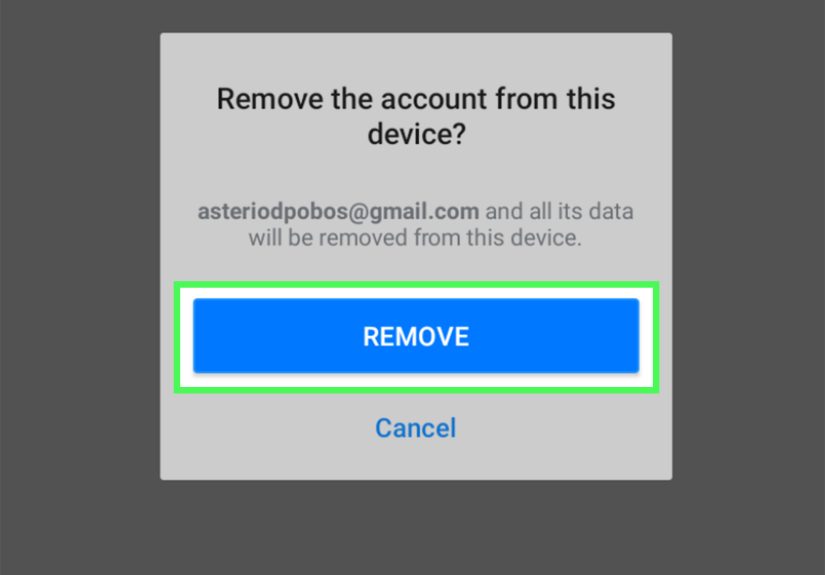
Not required, but helpful: sign out of Yahoo on computers, tablets, and phones you no longer use. Also remove the account from the Yahoo Mail app if you’re done with it. Just remember: removing it from the app does not delete the accountit only removes access from that device.
How to Delete Your Yahoo Account Permanently (Desktop or Mobile Browser)
If you want the cleanest experience, use a web browser (Chrome, Safari, Edge, Firefox) on a computer. You can also do it on a phone browserjust expect a little more scrolling and a little less patience.
Step 1: Go to the Yahoo account termination / deletion page
Yahoo’s official process happens through the account termination (account deletion) page. You’ll need to sign in to the account you want to delete.
Step 2: Read the “what happens next” notice
Yahoo will show a message explaining what you’ll lose when you close your account (mail, content, and access to Yahoo services connected to that login). This is the “last call” momentmake sure you’ve backed up what you need.
Step 3: Verify your identity
Depending on your account settings, Yahoo may ask you to confirm your password, complete a verification step, or confirm recovery information. This is normalaccount deletion is supposed to be hard for strangers and easy for you.
Step 4: Confirm you want to terminate the account
When you confirm, Yahoo will begin the closure process. Your account typically enters a deactivation period before it’s permanently deleted.
Important: The Waiting Period (And How People Accidentally Undo Deletion)
Yahoo account deletion usually isn’t instant. Instead, there’s a waiting periodcommonly about 30 daysduring which the account can be reactivated if you sign back in. In other words: if you delete your Yahoo account permanently and then log in “just to check something,” you may bring the account back like a zombie in a horror movie.
What to do during the waiting period
- Don’t sign in to the account if you want deletion to finish.
- Use your new email as the recovery email on other accounts right away.
- Watch for missed logins: If an app still tries to use Yahoo (like an old phone email setup), remove it.
Can You Delete a Yahoo Account from the Yahoo Mail App?
Usually, nothe Yahoo Mail app is great for checking mail, but account termination is typically handled through a browser-based account termination flow. If your goal is simply to stop seeing Yahoo mail on your phone, you can remove the Yahoo account from the app. That’s not permanent deletion, but it does stop notifications and sign-ins on that device.
Special Case: If Your Email Is AT&T (or Another Provider Using Yahoo)
If your email address ends in something like @att.net, @sbcglobal.net, @bellsouth.net, or similar, your email may be managed through a provider relationship. In that case, the deletion process can be differentsometimes you must go through the provider’s account management rules (and you may not be able to delete it while it’s tied to an active paid service).
Translation: If Yahoo won’t let you delete, it may not be a “you” problem. It may be a “this account is tied to a provider policy” problem.
What Happens When You Close Your Yahoo Account?
Here’s what to expect after you request Yahoo account deletion:
- You lose access to Yahoo content tied to the account (mail and other Yahoo services linked to that login).
- Your account enters a deactivation window before permanent deletion completes.
- If you sign in during the reactivation window, the closure can be canceled and the account may reopen.
Will your Yahoo email address be available to reuse?
Sometimes people delete accounts hoping to “free up” the address for later. In reality, providers don’t always recycle addresses quickly (or at all), and policies can change. The safest move is to assume you won’t get it back once the process completes.
Troubleshooting: When Yahoo Won’t Let You Delete Your Account
If you’re stuck, one of these is usually the culprit.
You still have an active subscription or balance
Paid services can block account termination. Cancel subscriptions first and make sure your account meets the eligibility requirements Yahoo lists (including any required waiting period after a paid term ends).
You can’t pass verification (password, security checks, recovery)
If your password isn’t working, reset it using Yahoo’s account recovery options, then try again. Also double-check that you’re using the main account passwordnot an old password saved in your browser from 2019.
You’re trying to delete from the app instead of a browser
If you don’t see an option inside the Yahoo Mail app, that’s expected. Use a web browser and go through the termination flow there.
Your account is managed by a provider (like AT&T)
Provider-managed accounts often have separate rules for deletion, especially if the email is connected to an active paid service. Follow the provider’s official steps for account deletion.
FAQ: Common Questions About Yahoo Account Deletion
Can I delete Yahoo Mail without deleting my whole Yahoo account?
In most cases, Yahoo treats your Yahoo Mail as part of your Yahoo account. That means closing your Yahoo account closes access to Yahoo Mail as well. If you only want to stop using Yahoo Mail, consider leaving the account open and simply switching your primary email elsewhere.
How long does it take to delete a Yahoo account permanently?
Yahoo typically uses a deactivation periodoften around 30 daysbefore the account is fully deleted. During that time, signing in can reactivate the account.
What if I change my mind?
If you sign in during the reactivation window, you may be able to restore the account. After the window ends and deletion completes, recovery may no longer be possible.
Do I need to delete the Yahoo app too?
You can uninstall the app whenever you want, but uninstalling does not delete your Yahoo account. Deleting the account requires going through Yahoo’s account termination process in a browser.
Simple Summary: The “Do This, Not That” Version
- Do this: Back up important emails and data first.
- Do this: Update other accounts that use your Yahoo email.
- Do this: Cancel paid subscriptions and resolve any balances.
- Do this: Use a browser to access Yahoo’s account termination page.
- Not that: Don’t sign in during the waiting period if you want deletion to complete.
Common Experiences People Have When Deleting a Yahoo Account (500+ Words)
Deleting a Yahoo account sounds like a clean, decisive momentlike tossing an old hoodie you’ve had since middle school. But in real life, it often feels more like cleaning out a garage: you start with confidence, and ten minutes later you’re holding a mysterious “important” cable you’re afraid to throw away.
Experience #1: “I didn’t realize this email is attached to everything.”
One of the most common surprises is discovering how many services still rely on a Yahoo address. People often created accounts years ago using Yahoo because it was convenient at the timethen forgot about it. When they finally decide to delete the Yahoo account permanently, they realize their Yahoo email is still the login for an old shopping account, a loyalty program, a streaming subscription, or (the big one) password recovery for something important. The fix is simple but time-consuming: update those logins and recovery emails before closing Yahoo. It’s not hardit’s just the kind of “digital paperwork” that makes you want to go lie down for a minute.
Experience #2: “The paid subscription roadblock.”
Another common frustration is getting to the finish line… and then being told you can’t delete your account yet. Usually, it’s because there’s an active paid service, a remaining balance, or a waiting period after a subscription ends. People assume deleting an account is like canceling a free trialtwo clicks and gone. In reality, account deletion tends to be locked behind “settle up first” rules. The practical takeaway: check subscriptions early, cancel them properly, and expect that you may need to wait before termination becomes available. Annoying? Yes. Predictable? Also yes.
Experience #3: “I accidentally reactivated it.”
This one is almost funnyuntil it happens to you. Many people request deletion, then later open an old device (a tablet in a drawer, a spare phone, a work laptop) and a browser autofills Yahoo login. Or an email app keeps trying to connect in the background. Or they sign in “just one more time” to confirm a password reset somewhere else. And boom: reactivation. It’s like telling everyone you moved out, then showing up the next day to borrow a chair. If you want deletion to stick, remove Yahoo from devices, log out everywhere, and avoid signing in during the waiting period.
Experience #4: “The emotional weirdness of deleting something old.”
People don’t expect this, but it happens: deleting a long-time email can feel oddly sentimental. That Yahoo address might be tied to early internet memoriesold friends, old forums, old newsletters you never read but kept anyway. You might scroll your inbox and think, “Wow, I really did think that chain email was urgent.” If you feel a little weird about it, you’re not alone. The solution is practical: save what matters (a few key emails or contacts), then let the rest go. Digital clutter is still clutter.
Experience #5: “The relief afterward.”
The best part is what happens after you’ve done it correctly: fewer accounts to manage, fewer inboxes to check, fewer security worries, and a cleaner online footprint. People often describe the final outcome as a mini resetlike finally deleting 14 blurry screenshots you kept “just in case.” If you do the prep, the actual deletion is simple. The confidence comes from knowing you won’t get trapped in login limbo later.
If you take away one thing, let it be this: deleting your Yahoo account permanently is less about clicking “terminate” and more about making sure your online life won’t trip over the missing email afterward. Do the checklist, follow the steps, and enjoy the oddly satisfying feeling of closing a tab you never wanted open in the first place.
Conclusion
Deleting your Yahoo account permanently can be quickif you prep first. Back up your data, switch other accounts off your Yahoo email, cancel any paid subscriptions, then use Yahoo’s account termination page in a browser to close the account. After that, the most important step is the easiest: don’t sign in during the waiting period. Do it right once, and you’ll never have to think about your Yahoo inbox again (unless you miss the thrill of deleting 300 spam emails titled “URGENT BUSINESS PROPOSAL”).