Table of Contents >> Show >> Hide
- Quick reality check: cash advances aren’t “free money”
- How “works with Chime” usually works
- What makes a cash advance app “best” for Chime users?
- Cash Advance Apps That Work With Chime: Top 9 Best Apps
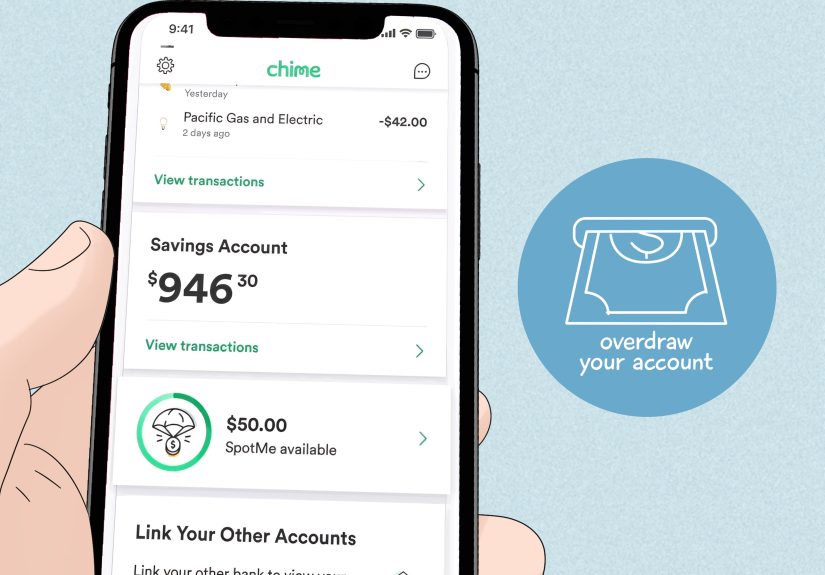
- 1) Chime (MyPay + SpotMe): Best “keep it simple” option
- 2) EarnIn: Best for flexible, tip-optional advances
- 3) Brigit: Best for predictable budgeting + no “tip pressure”
- 4) MoneyLion (Instacash): Best for “advance now, tools later”
- 5) Dave (ExtraCash): Best for smaller emergencies (and fast decisions)
- 6) Tilt (formerly Empower): Best for mid-size advances with membership pricing
- 7) Albert (Instant Advance): Best for “start small, grow over time”
- 8) Cleo: Best for an AI “money coach” vibe (with cash advances)
- 9) FloatMe: Best for tiny “save the day” floats
- How to choose the right app (without paying “panic fees”)
- Common questions Chime users ask
- Conclusion: The “best” app is the one you won’t need often
- Real-World Experiences: What Using Cash Advance Apps With Chime Feels Like (About )
Your paycheck is on a scenic road trip, your bills are doing sprint intervals, and your bank balance is… practicing minimalism.
If you use Chime, you’ve already got a solid setup for fee-friendly bankingbut you might still want a cash advance app for those
“my tire chose violence” moments.
This guide breaks down nine cash advance apps that work with Chime, what they cost, how fast they pay out, and which ones
are actually worth downloading (and which ones are only “worth it” if you enjoy surprise subscription charges like a mystery box).
Note: This is educational content, not financial advice. Most cash advance apps require you to be 18+ and to have regular income/direct deposits.
Quick reality check: cash advances aren’t “free money”
Cash advance apps are designed to bridge small gaps until paydayusually by looking at your income pattern and bank activity.
They’re often marketed as “no interest” and “no credit check,” which can be true. But “no interest” doesn’t always mean “no cost.”
The most common costs show up as:
instant transfer fees (pay extra to get money now),
subscriptions (monthly membership to unlock advances),
and sometimes optional tips (which can feel optional the way “suggested donation” sometimes doesn’t).
The good news: used carefully, these apps can be cheaper than overdraft fees or late payment penalties. The bad news: used repeatedly,
they can turn into a “borrow-to-catch-up” loop. The goal is to use them like a fire extinguisherhelpful in emergencies, not your main cooking tool.
How “works with Chime” usually works
1) The app links to your Chime account (best-case scenario)
Many cash advance apps connect to Chime through secure bank linking (often via Plaid or similar services).
You link your Chime login, the app reads your deposits/spending, and advances land in your Chime account (standard speed or instant for a fee).
2) The app “works,” but nudges you to open their account
Some apps are technically compatible with Chime but heavily encourage (or require) opening their branded checking account for the fastest delivery
or best limits. That doesn’t make them badjust know you may be adding a second financial “pet” that needs feeding.
3) Chime’s own features count too
If your main goal is “access money before payday,” Chime’s built-in options (like MyPay and SpotMe) can sometimes replace a third-party app entirely.
For many people, that’s the simplest path: fewer logins, fewer subscriptions, fewer “Waitwhat is this charge?” moments.
What makes a cash advance app “best” for Chime users?
- Compatibility: Can it reliably link to Chime and deposit to your Chime account?
- Total cost: Subscription + instant fees + tips (if any) = your real price tag.
- Advance range: Small (like $20–$100) can still be lifesaving, but it should match your needs.
- Speed options: Free standard delivery vs. paid instant delivery.
- Repayment rules: Auto-repayment on payday is convenient… until it drains your account at the worst time.
- Transparency: Clear limits, clear fees, easy cancellation (because “cancel anytime” should not require a scavenger hunt).
Cash Advance Apps That Work With Chime: Top 9 Best Apps
1) Chime (MyPay + SpotMe): Best “keep it simple” option
If you already use Chime, start here. MyPay can offer eligible members access to part of their paycheck ahead of payday,
with a free option within a short window and a low-cost instant option. SpotMe is differentit’s more like fee-free overdraft coverage
up to a limit, triggered when you swipe your Chime card.
Best for: People who want fewer apps and fewer moving parts.
Watch for: Eligibility is tied to qualifying direct deposits, and limits vary. Treat it as a cushion, not a lifestyle.
2) EarnIn: Best for flexible, tip-optional advances
EarnIn is one of the most recognized paycheck advance apps. Instead of charging mandatory interest, it typically uses optional tips
and charges for instant delivery. Compatibility with Chime can be available, but it may be limited depending on account eligibility
and settings.
Best for: People who want an advance without a required monthly subscription.
How it works with Chime: If your Chime account is supported, you can link it and receive transfers; you may need to enable
certain transaction permissions in Chime settings.
Watch for: Instant delivery fees add up if you use them repeatedly.
3) Brigit: Best for predictable budgeting + no “tip pressure”
Brigit is popular because it’s straightforward: it can provide smaller advances, and it doesn’t rely on tipping as a core model.
Brigit also leans into budgeting tools and alerts to help you avoid overdrafts in the first place (which is the real win).
Best for: Chime users who want advances plus budgeting guardrails.
Typical costs: Brigit’s paid plans are where advances live, and instant delivery may cost extra.
Watch for: Subscription math: if you only need one advance every few months, a monthly plan might not be worth it.
4) MoneyLion (Instacash): Best for “advance now, tools later”
MoneyLion’s Instacash feature offers advances with free standard delivery and a paid fast option. It can work with an external bank account,
and it also offers its own banking products. If you like having a financial “Swiss Army knife” (banking, tracking, extras), MoneyLion is built for that.
Best for: People who want flexibility: link an existing account or use MoneyLion’s ecosystem.
How it works with Chime: You can link your Chime account for certain features and transfers, and Instacash can be disbursed to eligible linked accounts or cards.
Watch for: Turbo/instant fees and optional tips if you choose to use them.
5) Dave (ExtraCash): Best for smaller emergencies (and fast decisions)
Dave’s ExtraCash is designed for quick, smaller advances with no interest and no traditional credit check.
There’s often a membership component, and transfers to non-Dave accounts can have feesso it can “work with Chime,” but the cheapest path may involve
using Dave’s own setup for speed.
Best for: People who want a mainstream app with broad availability and quick qualification checks.
How it works with Chime: You can connect a bank account for eligibility, and you may pay a transfer fee to send funds to a non-Dave account.
Watch for: Membership + express transfer fees can turn a “small advance” into a bigger recurring expense than you planned.
6) Tilt (formerly Empower): Best for mid-size advances with membership pricing
If you remember Empower, you’re not imagining thingsTilt is the newer brand many people now associate with those cash advance features.
Tilt tends to sit in the middle: higher limits than tiny “micro-advances,” membership pricing, and optional instant delivery.
Best for: People who want a larger ceiling than $100, but still want “no interest” style advances.
How it works with Chime: Tilt commonly supports linking existing accounts (including fintech accounts) through secure connection tools.
Watch for: Availability can vary by state, and subscription fees mean it’s best for users who benefit from the app more than once in a while.
7) Albert (Instant Advance): Best for “start small, grow over time”
Albert is known for combining money management tools with cash advances. Many users begin with smaller first advances, and limits may increase
based on account history and usage patterns. Albert also positions itself as a broader financial assistant, not just an “advance button.”
Best for: People who want advances plus a longer-term money management approach.
How it works with Chime: Albert can link to Chime for tracking and advance functionality when eligible.
Watch for: Don’t count on the maximum advertised limit on day onemost people ramp up.
8) Cleo: Best for an AI “money coach” vibe (with cash advances)
Cleo is part budgeting app, part chatbot with personality (including features like “Roast Mode” that calls out your spending like a hilarious friend).
Cash advances are typically tied to a paid membership tier, and delivery speed can cost extra if you need same-day access.
Best for: People who want budgeting help and motivation, not just an advance.
How it works with Chime: Cleo connects to banks through secure linking; some users connect Chime successfully, though occasional connection issues are reported.
Watch for: Membership tiers + same-day feesCleo can be more expensive than “plain” advance apps if you use the fast options often.
9) FloatMe: Best for tiny “save the day” floats
FloatMe is built around smaller amountsthink gas money, groceries, or a bill that’s short by a little. The upside is simplicity and speed options.
The trade-off is the ceiling: it’s not for $400 surprises. It’s for $40 problems.
Best for: People who need small advances and want something lightweight.
How it works with Chime: You can link a Chime account and use FloatMe’s advance features when eligible.
Watch for: Membership and instant fees can be high relative to the small advance amountsread the pricing carefully.
How to choose the right app (without paying “panic fees”)
Step 1: Decide if you actually need instant delivery
If you can wait 1–3 business days, you can often avoid the biggest fees. Instant delivery is convenient, but it’s also the #1 way cash advance apps
quietly become expensive.
Step 2: Do the subscription math
A $9.99/month plan is fine if you use it regularly and it truly prevents overdrafts or late fees. But if you only need one advance every couple months,
you might be paying a “membership tax” for no reason.
Step 3: Pick one primary app (and a backup)
Having five cash advance apps is like having five gym memberships: it sounds ambitious, but it usually just means you’re paying for guilt.
Choose one primary app that fits your habits, and keep one backup that links to Chime smoothly.
Step 4: Protect your next payday
The most overlooked risk is repayment timing. If an app auto-debits on payday, your rent and groceries might collide with that repayment.
Before you borrow, map the next seven days: bills, essentials, and how much “safe” cash you’ll have after repayment.
Common questions Chime users ask
Do these apps work if I’m paid via direct deposit to Chime?
Often, yesdirect deposit history is a common eligibility factor across advance apps. Some apps require a minimum deposit amount or a certain deposit frequency.
If you’re paid irregularly, you may qualify for lower limits until the app sees a stable pattern.
What if the app can’t connect to my Chime account?
First, confirm you’re using the correct login and that your Chime account permissions allow transactions and transfers. If linking still fails,
try another app with known Chime compatibility (Brigit is explicit about this), or use Chime’s built-in options where available.
Are cash advance apps safer than payday loans?
They can be, mostly because many don’t charge traditional interest and don’t run hard credit checks. But “safer” depends on behavior:
repeated borrowing, stacking apps, and paying constant instant fees can still become financially damaging.
Conclusion: The “best” app is the one you won’t need often
The smartest approach is to start with what you already have. If Chime’s MyPay or SpotMe solves the problem, you can skip the app-shopping altogether.
If you need more flexibility, choose one cash advance app that reliably links to Chime, keep fees low by avoiding instant delivery when possible,
and treat advances as occasional toolsnot monthly habits.
And if you catch yourself borrowing every pay period? That’s not a “you” failureit’s usually a math problem. The fix might be renegotiating due dates,
trimming one recurring expense, or building even a tiny buffer. The goal is to make payday feel less like a jump-scare.
Real-World Experiences: What Using Cash Advance Apps With Chime Feels Like (About )
If you ask people what it’s like to use cash advance apps with Chime, you’ll hear a surprisingly consistent theme:
the first win feels amazing. You link your account, the app approves you for a small amount, and suddenly your week is back on the rails.
That $75 or $150 can mean gas in the tank, groceries in the fridge, or avoiding a late fee that would’ve cost more than the advance itself.
The next common experience is the “linking moment.” Most apps ask you to connect your Chime account through a secure flow, and for many users,
it’s smooth. For others, it’s a little finickymaybe you pick the wrong institution option, or you get stuck in a verification loop, or the app needs
one extra setting enabled so it can send and debit transfers. When linking works, it feels like magic. When it doesn’t, it feels like arguing with a printer.
After that comes the “speed decision,” which is basically a tiny moral debate you have with yourself:
“Do I pay a fee to get this money today, or do I wait?”
In real life, waiting is cheaper but not always realistic. If your phone bill is due at midnight, standard delivery won’t help.
That’s when instant fees sneak in. Many people report that the first instant fee feels justifiedbecause the alternative is worse.
The problem is how quickly it becomes normal. A few $3.99 or $8.99 fees sprinkled across a month can quietly add up to a subscription’s worth of money.
Another real-world pattern: limits usually start smaller than the ads. Apps may advertise higher maximums, but many users begin with $20–$100,
then increase over time as the app sees steady direct deposits and predictable spending. This can be frustrating when you need a bigger amount right now,
but it’s also part of what keeps these products from looking like traditional high-risk lending.
The most important experience people share is what happens on repayment day. Auto-repayment is convenient when your paycheck is comfortably larger than your bills.
But if your budget is tight, the repayment can trigger a new scramblebecause your account drops right after payday, and you’re back to counting days.
That’s the moment when users either (1) stop using advances and recalibrate, or (2) download a second app “just in case.”
The second path is where things get messy: stacking apps can turn one small emergency tool into a rotating cycle.
The users who feel best about these apps tend to use them with a clear rule: borrow for a specific reason, with a specific plan.
“I need $90 for a prescription today; I’ll skip two takeout meals this week to offset it.” That’s controlled use.
When the reason becomes “because I’m always short,” the app isn’t the solutionit’s the signal to change the underlying cash flow.
In other words: the best experience is the one where the app helps you once, then you don’t think about it again for a long time.